Best Blogging Platforms for Beginners, Ranked for 2026
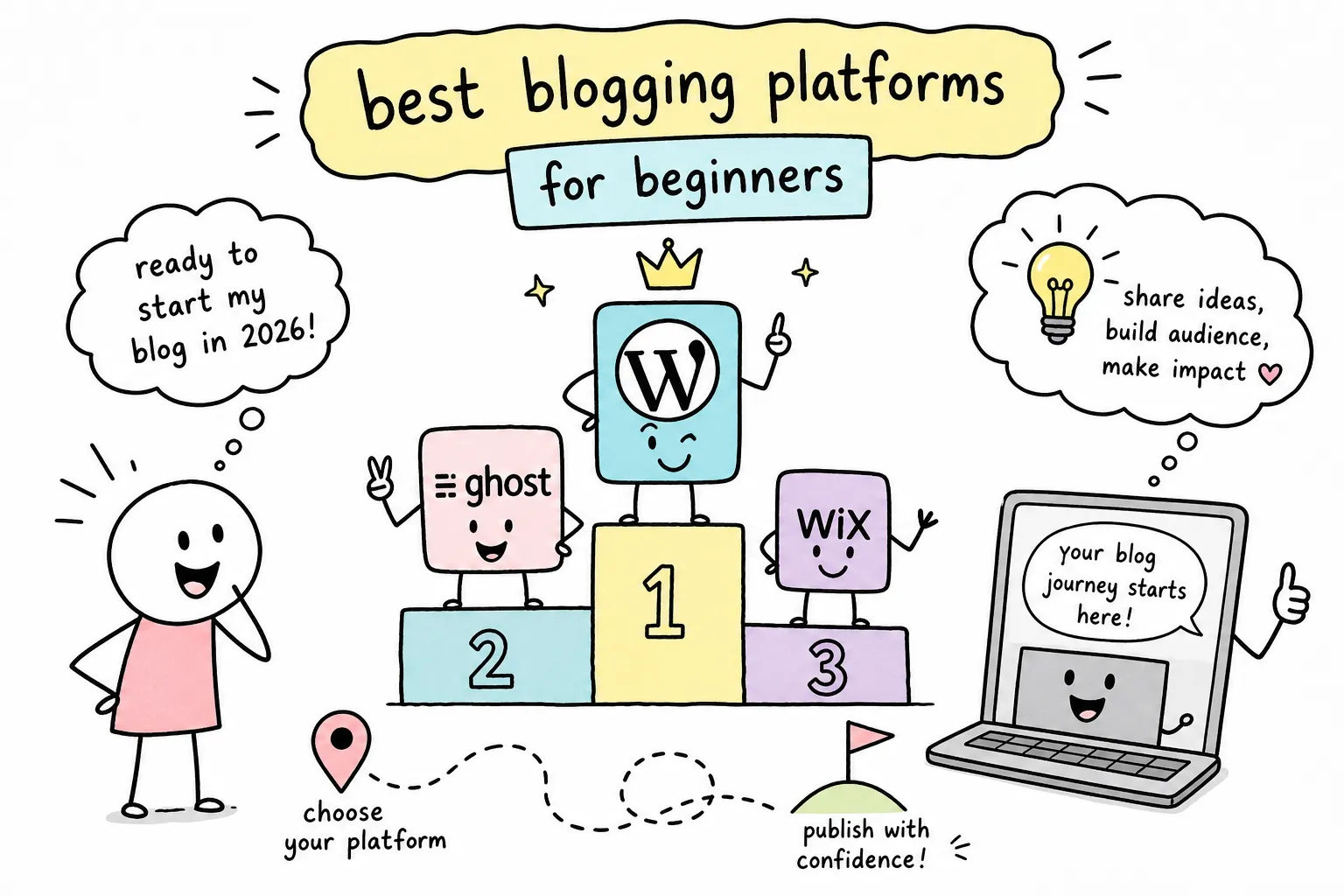
Most new bloggers spend more time picking a platform than writing their first post. The sheer number of options available in 2026, from WordPress to Substack to Ghost to Wix, creates real decision fatigue before a single word gets published. That paralysis is expensive: every week spent evaluating platforms is a week without content, readers, or revenue.
This guide covers the best blogging platforms for beginners compared in 2026, evaluated on five things that actually matter: setup ease, cost, SEO capability, design flexibility, and monetization options. At The Growth Engine, this is the kind of resource we build for people moving from "I want to start a blog" to "I just published my first post", so consider this your platform decision, made simple.
By the end of this breakdown, you'll know which platform fits your specific goal, whether that's building a content-driven site that ranks on Google, launching a portfolio, or starting a paid newsletter. You'll also know what you'll actually pay and what your next steps are after you choose.
Best Blogging Platforms for Beginners Compared in 2026, Quick Summary
| Platform | Best For | Starting Price | SEO Control | Monetization |
|---|---|---|---|---|
| WordPress.org | SEO content blogs | ~$2.99, $5.00/month (hosting) | Full | Unlimited |
| WordPress.com | Managed WordPress users | $9, $40/month | Limited (entry plans) | Restricted on lower tiers |
| Wix | Visual/creative blogs | $17, $29/month (annual) | Adequate | Moderate |
| Squarespace | Portfolio & personal brands | Check site for 2026 pricing | Good | Moderate |
| Ghost Pro | Paid newsletters at scale | ~$29/month | Good | Strong (flat fee) |
| Substack | Beginner newsletter testing | Free (10% rev share) | Minimal | Built-in (with cut) |
| Blogger | Zero-cost hobby blogging | Free | Minimal | Very limited |
| Medium | Built-in audience access | Free | None (platform domain) | Internal program only |
What to Evaluate Before Choosing a Blogging Platform
Setup ease: how fast can you go from zero to published?
For a beginner, time-to-first-post matters more than any feature list. Platforms that require you to configure hosting, DNS records, and plugins before publishing a single word add friction that kills momentum fast. The spectrum in 2026 runs from Substack, where you can publish in under 20 minutes, to self-hosted WordPress, where you should budget two to four hours on a good day. Neither is wrong. The right setup time depends entirely on your goals.
The trap most beginners fall into is choosing a platform based on what advanced bloggers use rather than what supports their actual starting point. A platform that gets you publishing today beats a "better" platform you haven't launched yet.
Cost: what "free" actually means in 2026
Free plans on most blogging platforms come with strings attached. Those strings typically include a subdomain URL instead of a custom domain, platform branding or ads you don't control, paywalled SEO features, and limited storage. The realistic cost of a functional beginner blog includes hosting, domain registration (usually around $12, $15 per year), and potentially a premium theme or plugin.
Before comparing platform pricing, set this expectation: a truly useful beginner setup costs somewhere between $3 and $40 per month depending on how much flexibility you want. The free tier on most platforms is best understood as a trial, not a long-term home.
SEO and design flexibility: what beginners actually need
You don't need every SEO tool on day one, but you do need a platform that doesn't actively limit your growth. Baseline SEO means custom meta titles and descriptions, clean URL structures, sitemap generation, and the ability to connect Google Search Console. Any platform that locks those features behind a premium plan is costing you future traffic.
Design flexibility matters less for aesthetics than for brand credibility. A clean, readable blog with consistent colors and typography builds reader trust. You don't need drag-and-drop mastery, you need a design that doesn't look like a template from 2014.
Monetization readiness: can you earn from this platform later?
Monetization is a future-proofing question, not an immediate one. The main revenue paths for bloggers are display ads, affiliate links, digital products, paid subscriptions, and sponsored content. Some platforms open all of those doors; others close most of them. Choosing a platform that limits your monetization options early means a painful migration later, usually after you've built hundreds of posts and a growing audience.
WordPress.org: the Gold Standard for Serious Bloggers
What it actually takes to get started
WordPress.org is free software, but you pay separately for hosting and a domain. The realistic setup sequence looks like this: choose a host like Hostinger (starting around $2.99/month) or Bluehost (starting around $3.99/month introductory), use their one-click WordPress installer, connect your domain, and activate a lightweight theme. Budget two to four hours for a basic launch, including your first SEO configuration.
That setup time is the honest tradeoff for what you get in return. Self-hosted WordPress gives you full ownership of your site, your content, and your data, and once those migration rights matter, no hosted platform comes close. Full content ownership means you can switch hosts, change themes, and plug into any monetization tool without asking anyone's permission.
SEO power and the plugin ecosystem
WordPress.org dominates for SEO-focused bloggers for a specific reason: full control over site architecture combined with plugins like Yoast SEO or Rank Math that handle structured data, XML sitemaps, on-page optimization guidance, and more. You control every technical variable from permalink structure to canonical tags to robots.txt. No other platform in this comparison gives you that level of granular access.
The caveat is real: that power comes with responsibility. Your site's performance depends on your hosting quality, your theme's code efficiency, and how well you manage the plugin stack. A bloated theme on cheap hosting will underperform a leaner setup regardless of how capable WordPress itself is.
Monetization flexibility: the widest runway
No platform in this comparison offers more monetization paths than self-hosted WordPress. Display ads via networks like Mediavine or AdThrive, affiliate links with full control over placement, digital products through WooCommerce or Easy Digital Downloads, membership sites, sponsored content, and email list integrations all work without platform restrictions. You're not sharing revenue with anyone except your payment processor.
The real tradeoffs: maintenance and learning curve
Updates, plugin conflicts, security patches, and backups are entirely your responsibility. For a beginner who primarily wants to write, that overhead can feel overwhelming in the early months. WordPress.org is the right choice for anyone with a clear long-term SEO or income strategy. It's not the right choice for someone who wants the fastest possible path to publishing without technical involvement.
WordPress.com, Wix, and Squarespace: the Hosted Builder Tier
Setup experience: which one gets you live fastest?
All three can have a basic blog live within an hour. Wix's drag-and-drop editor is the most visually intuitive, you see exactly what you're building as you build it. Squarespace offers polished, design-forward templates with a cleaner but less flexible editing experience. WordPress.com bridges the familiar WordPress interface with managed hosting, but gates the features most bloggers actually want behind higher-priced plans.
If your priority is going live quickly with a professional-looking result and no technical setup, any of the three works. The differences become meaningful when you look at what each platform restricts at each price point.
SEO capabilities: where each one falls short
WordPress.com's free and Personal plans restrict plugin access, which means no Yoast or Rank Math. To unlock plugins, you need the Business plan at $40/month billed monthly. Wix has improved meaningfully in recent years with guided SEO setup, editable metadata, sitemap generation, and structured data support for common content types, it's adequate for beginners but offers less granular technical control than self-hosted WordPress. Squarespace handles the fundamentals well: automatic XML sitemaps, editable meta titles and descriptions, clean URLs, SSL, canonical tags, and Google Search Console integration are all built in.
The honest summary: all three are sufficient for beginner SEO needs. None of them match self-hosted WordPress for advanced technical SEO control, and that gap only matters once your content strategy becomes more sophisticated.
2026 pricing across all three
WordPress.com's usable plans for a blogger start at $9/month (Personal) and jump to $40/month (Business) once you need plugin access. Wix's paid plans run $17, $29/month on annual billing for the tiers most bloggers actually need, with a free plan that includes Wix branding and a subdomain rather than a custom domain. Squarespace pricing was not available with verified 2026 figures at time of writing, check their pricing page directly before committing.
The pattern across all three is the same: the free tier is a preview, not a functional setup. The middle-tier plan on each platform is where beginners actually get real value.
Who each platform is actually built for
- Wix: visual creatives, local businesses, and bloggers who want design control without writing any code
- Squarespace: portfolio-style blogs, photographers, and personal brands where polished aesthetics drive reader trust
- WordPress.com: bloggers who want the WordPress ecosystem and familiarity without managing their own hosting or server
Ghost and Substack: Built for Writers Who Plan to Earn
Ghost: the clean, content-first platform
Ghost is a modern publishing platform built specifically for serious writers and media creators. Ghost Pro, the hosted version, removes the technical burden of self-hosting while delivering a clean editor, strong performance, and built-in membership and subscription tools. Paid newsletters work natively on Ghost, with no transaction fee on paid content at certain plan levels, and the learning curve sits below self-hosted WordPress but above Substack. At around $29/month for the Creator plan most newsletter publishers need, that flat fee structure becomes a significant financial advantage over revenue-share models once your subscriber income grows.
Substack: the fastest path to a paid audience
Substack is the zero-setup option for writers who want to build a paid newsletter without making a single design decision or paying any upfront costs. Create an account, start writing, and publish. That simplicity is genuinely valuable for beginners testing whether their audience will pay for their content. The tradeoff is real: Substack takes a 10% cut of subscription revenue, customization is severely limited, your SEO options are minimal, and your brand lives on Substack's domain rather than your own.
Monetization comparison: Ghost vs. Substack
The math is straightforward. At $500/month in subscription revenue, Substack takes $50 while Ghost Pro costs around $29. At $5,000/month, Substack takes $500 while Ghost Pro remains roughly $29. For creators expecting meaningful subscriber income, Ghost wins financially at scale. Both platforms also charge Stripe processing fees on top of their own platform fees.
For complete beginners testing a newsletter idea with no existing audience, Substack's zero upfront cost is the right starting point. Once you have consistent paying subscribers, the math favors moving to Ghost.
The portability tradeoff both platforms face
Both Ghost and Substack allow content export, but your audience is harder to move than your posts. On Substack, your subscriber email list is yours to take, but your brand and SEO presence live on Substack's domain. Self-hosted Ghost gives you full ownership of the domain, the content, and the audience relationship. Beginners should understand this distinction before building a significant audience on either platform.
Blogger and Medium: the Truly Free (and Limited) Options
What you actually get on both platforms
Blogger is Google's legacy free blogging tool, no cost, basic theming, and functional without any technical knowledge. Medium is a content platform where you publish within their ecosystem and can earn through the Medium Partner Program based on reading time from paying Medium members. Neither platform requires hosting decisions, domain purchases, or any setup knowledge. You create an account and start writing.
SEO and growth limitations that matter
Blogger's SEO tools are minimal and the platform hasn't seen meaningful development in years. It can rank for simple topics, but you have far less control over technical SEO than any other platform in this comparison. Medium's content does rank in search results, but it's Medium's domain authority doing the work, not yours. Over time, you're building traffic for someone else's platform. Any audience you grow there is audience on borrowed land.
When either platform actually makes sense
Blogger makes sense for absolute beginners who want to write without any financial commitment and have no monetization goals whatsoever. Medium makes sense for writers who want built-in distribution to an existing reader base and are comfortable earning through Medium's internal program rather than building an independent monetization system. Neither is a strong foundation for a long-term blogging business.
2026 Blogging Platform Pricing: What You'll Actually Pay
The realistic cost to get a working blog
Here's what a functional beginner setup actually costs on each major platform in 2026. Prices reflect verified figures at time of writing, check each platform's pricing page for the most current rates before committing.
- WordPress.org on Hostinger: $2.99, $5.00/month for hosting, plus roughly $12, $15/year for a domain
- WordPress.org on Bluehost: $3.99/month introductory (renews at $9.99/month), plus domain cost
- WordPress.com Business: $40/month billed monthly (the plan where plugins are unlocked)
- Wix Core or Business: $29, $39/month on monthly billing; $17, $29/month on annual billing
- Ghost Pro: approximately $29/month for the Creator plan
- Substack: free until you earn, then a 10% cut of subscription revenue
- Blogger and Medium: free with platform restrictions and limited monetization control
Hidden costs beginners consistently miss
The costs that don't show up on pricing pages are the ones that catch beginners off guard. Premium themes run $40, $100 as a one-time purchase on WordPress. Email marketing tools, which you'll want once you have readers, add another $15, $30/month once your list grows. Custom domains on free plans are often a separate add-on cost. And migrating away from a closed platform like Squarespace or Wix after building 200 posts is both technically painful and sometimes expensive.
Plan for the platform you'll need in 12 months, not just the one that feels easiest today. That calculus usually shifts the decision toward a self-hosted or more portable setup from the start.
Which Platform Matches Your Blogging Goal
For the SEO content blogger targeting organic traffic
WordPress.org with Hostinger or Bluehost is the clear recommendation. The combination of full technical SEO control, unrestricted plugin access, and a monthly cost under $5.00 is unmatched for someone building a content-driven site designed to rank on Google. Pair it with Rank Math (free) and Google Search Console, and you have a setup that scales from your first post to your thousandth.
For the personal brand, portfolio, or lifestyle blogger
Squarespace handles design-forward personal brands well, the templates are polished and the editing experience is clean. If you want more layout control and a lower starting price, Wix is a solid alternative. Both platforms get you live quickly, look professional without a designer, and handle the core blogging use case without requiring any technical knowledge to maintain.
For the paid newsletter creator
Start on Substack if you're testing your concept and have no existing audience. The zero upfront cost removes the financial risk from validating your idea. Move to Ghost Pro once you're earning consistently, the flat monthly fee saves real money at scale, and Ghost gives you full ownership of your brand and domain.
For the budget-conscious beginner who just wants to start
If cost is the primary constraint, Blogger gets you writing for free with zero setup. If there's any chance you'll want to monetize later, start on Substack instead, it's also free to start, but it gives you a subscriber model that Blogger doesn't support. Once you've validated that you'll actually stick with blogging consistently, the move to a self-hosted WordPress setup becomes an easy decision. The Growth Engine covers every step of that transition, from niche selection to your first affiliate link, without requiring you to bounce between ten different websites to piece it together.
Your Next Steps After Choosing a Platform
Three things to do before publishing your first post
Regardless of which platform you chose, these three steps apply before you hit publish.
- Connect a custom domain. A custom domain builds credibility and protects your brand from platform changes.
- Configure your basic SEO settings. Set your site title, write a default meta description, and verify your sitemap is active.
- Connect Google Search Console. It's free, takes ten minutes, and gives you the data you need to understand how your blog performs in search from day one.
How to publish your first post the right way
Pick one topic you can write with real authority, structure it around a specific question your reader is already asking, and publish. Don't wait for perfection. A published post you can improve beats a draft that never goes live. Your first post is less about traffic and more about establishing the habit and testing your setup end-to-end.
Write a descriptive headline, use clear subheadings, add an image, and make sure the post reads well on mobile. That's the complete checklist for post one. Everything else comes with time and experience.
Where to go from here
Choosing a platform is step one. What follows, defining your niche, building a content calendar, optimizing for search, growing an email list, and making your first dollar from your blog, requires a different kind of guidance. That's exactly what The Growth Engine is built for: a single resource where new bloggers can work through the full journey from platform setup to monetization without getting lost across dozens of disconnected sites and YouTube rabbit holes.
Make the Decision and Get Your First Post Live
There is no universally best blogging platform for beginners, only the right platform for your specific goal. When you look at the best blogging platforms for beginners compared in 2026, the decision comes down to intent: self-hosted WordPress for SEO-driven content, Squarespace or Wix for polished personal branding, Substack to validate a paid newsletter concept, and Ghost once that newsletter is generating consistent revenue. Blogger covers the zero-cost, zero-expectation scenario.
The platform is a starting point, not a permanent decision. Most successful bloggers migrate at least once as their goals evolve and their audience grows. Choosing the right platform for where you are today, rather than optimizing for some hypothetical future version of your blog, is the move that gets you publishing faster.
Pick the platform that fits your goal, follow the setup steps, get your first post live this week, and come back to The Growth Engine for everything that comes next. The biggest competitive advantage in blogging has always been the same: showing up consistently when most people don't.


Comments
Post a Comment