WordPress vs Wix: Which Platform Wins for Bloggers?
WordPress vs Wix: Which Platform Wins for Bloggers?
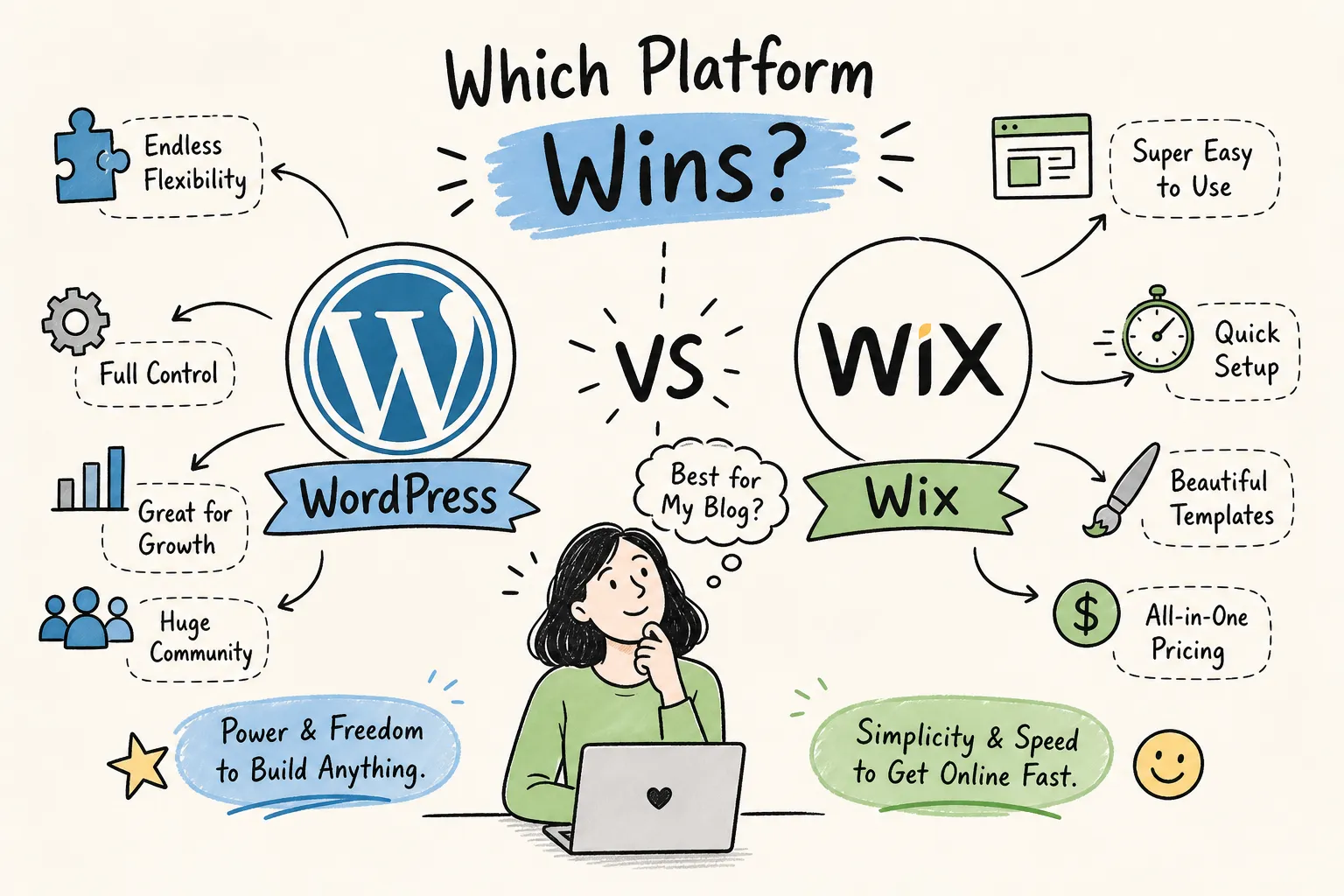
Most new bloggers don't struggle with writing their first post. They struggle with deciding where to put it. The WordPress vs Wix debate looks simple on the surface, then sends you down a rabbit hole of contradictory Reddit threads, outdated YouTube comparisons, and opinion pieces that never quite match your situation. At The Growth Engine, this is one of the first questions readers ask before they ever type a single word of content: which platform should I build on?
This comparison cuts through that noise. It covers ease of use, customization, SEO, real 2026 pricing, monetization potential, and long-term ownership, including the WordPress.org vs Wix distinction that most surface-level guides skip entirely, so you can walk away with a clear answer for your specific goals. No hedging, no vague "it depends" conclusions without follow-through.
Ease of use: how quickly can you actually get online?
What setting up Wix actually looks like
Wix is built for speed. Using Wix ADI (Artificial Design Intelligence) or the drag-and-drop editor, most people have a basic site live within a few hours, and a simple landing page can go up in 15 to 30 minutes. No coding knowledge is required at any stage. Hosting, automatic updates, security patches, and backups are all handled in the background, so you never open a terminal window or touch a server configuration file. For someone who wants to get a site online fast and get back to their actual work, that self-contained experience is a genuine advantage. The learning curve is shallow by design, and for portfolio sites, service businesses, or anyone who needs a clean web presence without the technical overhead, that matters.
WordPress's learning curve explained
Self-hosted WordPress is a different experience entirely. Before you write a word of content, you need to choose a hosting provider, purchase a domain, install WordPress on your host, select a theme, and configure a handful of essential plugins. For beginners, that process realistically takes six to eight hours on the fast end and one to three days when you factor in research, troubleshooting, and decision fatigue.
That doesn't mean you need to be a developer. WordPress doesn't require coding skills for a functional site. But it does require a willingness to figure things out, read documentation, and make a few technical decisions upfront. The payoff for that extra effort shows up in every section that follows.
Customization and design flexibility
Wix's templates and editor limits
Wix offers hundreds of professionally designed templates and a visual editor that lets you drag and drop elements with real precision. For most standard websites and service-based businesses, that flexibility is more than enough to build something that looks polished and functions well. The editor is genuinely capable within its boundaries.
Those boundaries do exist, though. Once you choose a Wix template, you can't switch it later without rebuilding your entire site from scratch. More importantly, Wix is a closed system. Certain structural customizations and code-level modifications simply aren't possible, regardless of your skill level, because the platform doesn't expose that level of access.
WordPress themes, page builders, and plugins
WordPress gives you access to thousands of free and premium themes, plus page builders like Elementor and Kadence that rival, and often exceed, Wix's editor in raw design flexibility. The real differentiator is the plugin ecosystem: over 50,000 plugins exist for WordPress, covering everything from advanced forms and membership systems to complex analytics integrations and custom post types.
More options mean more decisions, and a site with too many plugins can become slow or run into compatibility issues. But that's a management problem with clear solutions. The creative ceiling on WordPress is essentially unlimited in a way Wix's closed system can't match.
WordPress vs Wix: SEO and traffic growth
Wix's built-in SEO toolkit
Wix covers the SEO fundamentals natively: title tags, meta descriptions, heading structure, XML sitemaps, 301 redirects, schema markup, image alt text, and direct integration with Google Search Console and Google Analytics. The SEO Wiz feature walks beginners through a guided setup checklist so nothing obvious gets missed. For a new blogger targeting low-to-mid competition keywords, Wix's built-in tools are sufficient to rank.
The gap between Wix and WordPress SEO only becomes meaningful as your content strategy matures and you start pursuing more competitive search terms. For most bloggers in their first year, Wix won't be the reason they struggle to rank.
WordPress SEO with plugins like Yoast and Rank Math
For anyone serious about growing organic traffic over the long term, WordPress is the stronger SEO platform. Plugins like Yoast SEO and Rank Math provide deep control over keyword analysis, schema markup, canonical URLs, breadcrumb navigation, internal linking suggestions, and redirect management, all configurable at the individual post level. That granularity matters when you're competing for harder keywords.
WordPress also gives you technical SEO access that Wix simply doesn't offer: server-level caching, Core Web Vitals optimization, custom header injection, and hosting configurations that can meaningfully improve page speed scores. Managed WordPress hosts like WP Engine and Kinsta, for example, consistently benchmark faster Core Web Vitals scores than shared environments, an advantage that compounds as your content library grows. For bloggers building a content library with SEO as the primary traffic strategy, this depth is worth the steeper setup curve.
WordPress vs Wix pricing (2026)
Wix pricing plans broken down
Wix's 2026 plan structure is simpler than it used to be. Current tiers include:
- Free, $0/month (ad-supported, no custom domain)
- Light, $17/month
- Core, $29/month
- Business, $39/month
- Business Elite, $159/month
All figures reflect annual billing rates. Most new bloggers and small site owners will find the Light or Core plan sufficient to get started. One bill covers hosting, security, updates, and the site builder, compare that to a WordPress setup where you're typically managing three separate vendor relationships (host, domain registrar, and plugin subscriptions). Budgeting on Wix is simple and predictable, which matters when you're just starting out and watching every dollar.
The real cost of a self-hosted WordPress site
WordPress itself is free to download and use, but running a self-hosted site has real costs. Hosting is the biggest recurring expense, and quality shared hosting for a beginner blog typically runs $50 to $150 per year. Add a domain (~$15/year), a premium theme if you want one ($50, $100 one-time or annually), and a few paid plugins for SEO, backups, or forms, and a mid-range WordPress setup lands somewhere in the $100 to $300+ per year range.
WordPress is not inherently cheaper than Wix, especially once you move beyond the absolute minimum setup. The value isn't the price tag, it's what that spend gets you in terms of control, flexibility, and monetization potential. That's where the real comparison lives, and it's also why this decision matters more than most website builder alternatives would have you believe.
Monetization potential: where the money conversation starts
Wix's monetization options for bloggers
Wix supports direct monetization in several ways: Wix Payments for digital product sales, subscription memberships, appointment bookings, and basic e-commerce on paid plans. If your monetization model is selling your own services, products, or digital downloads directly to your audience, Wix handles that cleanly. The setup is straightforward and doesn't require third-party integrations.
The limitations show up when your primary revenue model is content monetization through display advertising or affiliate marketing. Display ad networks like Mediavine and Raptive have technical requirements around site speed, code access, and ad placement that are easier to meet on WordPress. Affiliate marketing works on Wix, but you have less control over site structure and page optimization compared to a self-hosted setup.
Why WordPress leads for affiliate income, ads, and digital products
WordPress with WooCommerce is the stronger monetization platform for content-first bloggers. You have full control over ad placement, compatibility with every major affiliate network, and no platform-level restrictions on what you promote or sell. WooCommerce charges zero transaction fees on its core plugin, and the extension ecosystem means you can build nearly any sales funnel or product delivery system you need.
The monetization ceiling on WordPress simply doesn't exist in the same way it does on Wix. Whether you're qualifying for a premium ad network, structuring affiliate content around buyer-intent keywords, building a digital product, or setting up email sequences that drive repeat purchases, the platform stays out of your way. That's a meaningful long-term advantage for anyone building a content business rather than just a website.
Ownership, portability, and making the final call
Wix's lock-in and what it means long-term
Wix is transparent about one thing if you read the fine print: your content belongs to you, but your site belongs to Wix. The platform doesn't support full site export. If you decide to move to another host or platform after two years of building on Wix, you aren't migrating your site. You're rebuilding it somewhere else, importing whatever structured data you can export in CSV format, and recreating your design from scratch.
For a blogger who grows significantly and wants to scale, switch platforms, or bring in a development team to build custom features, that friction is real and expensive. The convenience Wix offers on the front end comes with a long-term cost to control.
WordPress's open-source advantage
Self-hosted WordPress means you own your files, your database, and your entire site structure. You can move hosts, switch themes, export everything, and hand the project to a developer without asking anyone's permission. Because WordPress is open-source software, no single company can change the monetization rules, shut down your account, or alter the terms governing your content.
For bloggers building a long-term content business, that ownership model is foundational. The platform you build on is the infrastructure of everything else you create. Choosing one that you fully own and control removes a category of risk that Wix users carry indefinitely.
The decision checklist
Use this framework to make the call:
- Choose Wix if: you want to launch fast, don't want to manage hosting or technical updates, need a clean site for a service business or portfolio, and aren't planning aggressive SEO-driven traffic growth.
- Choose WordPress if: you're building a content-first blog with SEO and monetization as primary goals, want full design and plugin flexibility, and are willing to manage a hosted environment or learn as you go.
The bottom line on WordPress vs Wix
Neither platform is objectively better. They're built for different priorities. Wix is a legitimate tool for getting something live quickly with minimal technical overhead, and for service businesses or portfolio sites, it's a solid choice. For bloggers who are serious about growing organic traffic, earning from their content, and owning what they build, WordPress is the stronger long-term platform, and that's the verdict that holds up across the WordPress vs Wix comparison no matter how you run the numbers.
Most readers at The Growth Engine who are building content businesses end up on WordPress for exactly those reasons: full control, SEO depth, and a monetization ceiling that doesn't exist. Once that platform decision is made, the work shifts to writing the first post, getting the SEO fundamentals right, and setting up the income streams that turn a blog into something real.
All of that is covered at The Growth Engine, from choosing your first blog topic to the monetization strategies that work at different traffic levels. Build on the right foundation, and the platform decision you're wrestling with right now will quickly become the least complicated part of the process.


Comments
Post a Comment