Content Creation Comparison: Best Platforms for 2026
Content Creation Comparison: Best Platforms for 2026
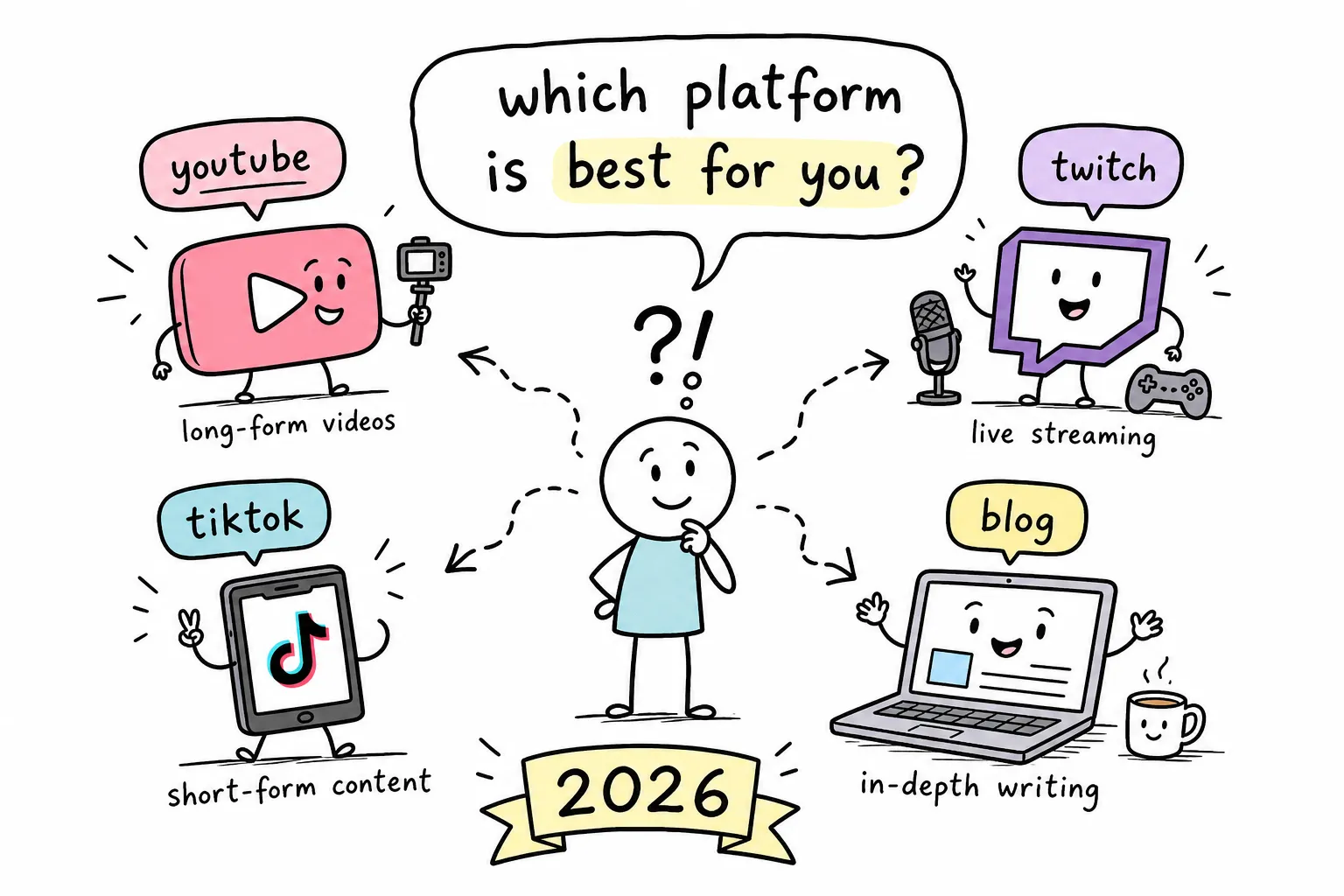
There are now dozens of tools claiming to be the "best" content creation platform, and most creator advice just dumps them into a list without helping you actually choose. The result: you either subscribe to everything and spend $300/month on tools you barely use, or you stick with one tool that doesn't fully serve what you create. Neither is a good outcome. This content creation comparison cuts through that noise by giving you a direct, opinionated look at the top platforms available in 2026, what each one does well, what it costs, where AI fits in, and which tool wins for your specific situation.
At The Growth Engine, we test these tools regularly because the wrong stack wastes money and the right one compounds your output over time. Whether you're a solo blogger, a side hustler building a brand, or part of a small team producing content across multiple channels, this breakdown gives you a clear answer, not a longer shortlist.
How we set up this content creation comparison
The criteria we used to evaluate each platform
Every platform in this comparison of content creation tools was evaluated across four pillars: core feature breadth (text, image, video, and audio support), AI capability maturity, pricing value at each tier, and workflow fit for the types of creators The Growth Engine's audience actually represents. The goal was practical usefulness, not feature-sheet bragging. A tool that does five things adequately often loses to a tool that does two things exceptionally well.
Workflow fit matters most for solo creators and small teams because you're not just buying features; you're buying time. A platform with a steep learning curve or awkward export process costs you every single week, even if it looks great in a demo. That's why the use case section of this article matters as much as the side-by-side features section.
Which platforms made the cut
The shortlist was narrowed to platforms that are actively used in 2026, have documented AI functionality, and serve individual creators or small teams rather than pure enterprise suites. The platforms in this content creation comparison are: Canva, Adobe Creative Cloud with Firefly, Jasper, Copy.ai, ChatGPT, Descript, Opus Clip, and ElevenLabs. Note that publishing platforms like WordPress, Substack, and beehiiv serve a distribution function and show up in the use case section rather than the core feature comparison, because mixing publishing infrastructure with creation tools muddies the decision.
The content creation landscape in 2026
The five platform categories creators are choosing between
Before comparing specific tools, it helps to know which bucket your needs fall into. The five categories are: AI writing tools, visual design and image generation, video creation and editing, audio and podcast production, and all-in-one multi-format platforms. Most creators need one or two of these categories well covered, not all five at once. Knowing where your output lives narrows the decision before you ever look at pricing or features.
A short-form video creator needs excellent clipping, captioning, and export options. A blogger writing three articles a week needs strong text generation and SEO workflow support. A podcaster needs high-quality recording, transcript-based editing, and clip extraction. The tools that win in each category are different, and that difference is exactly what this content creation comparison is designed to surface.
All-in-one vs. specialist tools: the core tradeoff
Canva is the clearest example of an all-in-one platform. It covers text, images, video, templates, and team collaboration inside one interface, and most users never need to leave it. ElevenLabs is the clearest example of a specialist: it does voice generation and cloning better than any competing tool in this comparison, and it does almost nothing else. Both approaches have real merit depending on your workflow.
All-in-one platforms are faster to start with and cheaper if you only need one subscription. Specialists win on depth when one content format drives the majority of your output. The honest self-assessment question is: do I create across three or four formats every week, or does 80% of my content live in one format? If it's the latter, a specialist tool paired with a free or low-cost general tool often outperforms a single all-in-one subscription.
Content creation comparison, core features side by side
Text and writing capabilities across platforms
ChatGPT, Jasper, and Copy.ai are the primary text-generation tools in this comparison. ChatGPT is the most flexible for drafting, research, editing, and repurposing across formats. It handles long-form blog posts, social captions, email sequences, and content repurposing in one interface without requiring you to learn separate templates or workflows. For individual bloggers, it covers most text needs without requiring anything more specialized.
Jasper adds brand voice controls and team governance, making it the right choice when multiple writers need to produce content that sounds consistent at scale. Copy.ai leans hardest into workflow automation, particularly for go-to-market content pipelines that need to produce repeatable output fast. Canva and Adobe also include text generation tools, but they function as secondary features built to support design work rather than as core writing products.
Image, video, and audio generation
No single platform leads across all three media types, which is why most serious creators run a small stack rather than relying on one tool. For image and design, Canva and Adobe Firefly are the strongest performers. Firefly differentiates on commercially licensed training data, which matters if you're producing assets for clients or paid ads where legal safety on generated images is a real concern. Canva's Magic Studio is faster for everyday marketing production and doesn't require switching between applications.
For video, Descript and Opus Clip handle different ends of the workflow: Opus Clip automates short-form clip extraction with auto-captions, while Descript is broader and better for editing by transcript, cleaning audio, and repurposing long recordings into multiple formats. For voice generation, ElevenLabs is the clear category leader. In our testing, its voice quality and cloning capabilities outperformed every other tool in this comparison, though it remains a specialist tool rather than a full creator suite.
Templates and collaboration support
Canva leads on templates for non-designers, with thousands of production-ready formats for social media, presentations, documents, and marketing assets. Figma leads on collaborative design for teams working on products, brand systems, or visual design at scale. Jasper and Copy.ai both offer brand collaboration and approval workflows for content teams that need writers and editors working inside a governed system.
What "collaboration" actually means in practice varies significantly between tools. Real collaboration includes real-time editing, approval queues, brand kit sharing, and role-based permissions. Many platforms lock these features behind team or enterprise tiers, so if you're comparing tools for a small team, check whether collaboration costs extra before you factor it into your budget decision.
Pricing breakdown across tiers
Free plans worth using vs. ones to skip
Canva Free, ChatGPT Free, and Claude Free are genuinely usable for light output. Grammarly Free handles basic grammar support for editing drafts and captions. These free tiers are real tools, not crippled demos, and they're the right starting point for anyone who wants to test a workflow before committing to a monthly subscription.
Free plans break down in predictable ways: they cap exports, limit AI usage, remove collaboration features, and often leave watermarks on video exports. For creators publishing consistently, free plans are for testing and validation, not for sustained production. The moment you're publishing multiple pieces of content per week, a paid plan pays for itself in time saved.
The $15, $79/month sweet spot for solo creators
This is where most solo bloggers and side hustlers will land, and the value at this tier is strong. Canva Pro runs around $15, $18/month and unlocks brand kits, background removal, premium templates, and more export options. ChatGPT Plus or Claude Pro runs around $20/month and unlocks better models and higher message limits. Jasper's creator tier starts around $39, $69/month. Descript's paid plan runs around $24/month and unlocks transcription hours and higher export quality.
A practical stack at this price range for a solo blogger would be Canva Pro plus ChatGPT Plus, which covers design and writing for around $35, $38/month combined. Add Descript if you produce video or podcasts alongside your written content and you're still under $65/month total. That three-tool setup handles the majority of what a consistent solo creator needs without overcomplicating the workflow.
Team and enterprise pricing: when it makes sense
Team tiers typically add brand governance, approval workflows, extra seats, and analytics, usually starting around $79, $199/month for most content tools. Enterprise options layer on SSO, audit logs, custom permissions, and API access. SEO and content marketing platforms are the biggest outlier in this tier, with professional packages reaching $450, $1,500+/month depending on features and seat counts.
Most bloggers and solopreneurs don't need the team or enterprise tier. But small agencies and content teams of three or more will find the workflow controls worth the jump, particularly the approval queues and brand kit sharing that prevent inconsistent output when multiple people are producing content simultaneously.
AI content tools comparison: head to head
Text generation: ChatGPT vs. Jasper vs. Copy.ai
All three generate solid marketing and blog copy, but they're built for different workflows. ChatGPT is the most versatile: drafting, editing, repurposing, research, and ideation all work in one interface without needing to set up templates or configure brand settings upfront. For individual bloggers, ChatGPT at $20/month is usually enough to cover every text-based content need.
Jasper is built for teams that need brand consistency at scale, with templates and brand voice guardrails baked into every workflow. Copy.ai leans hardest into automation, making it the strongest choice for GTM content pipelines that need to produce repeatable output fast without manual configuration each time. If you're a solo creator and not managing a team of writers, Jasper and Copy.ai offer more infrastructure than you'll use. Start with ChatGPT and only upgrade to the others when brand governance or automation volume becomes a real constraint.
Image and asset generation: Canva vs. Adobe Firefly vs. Midjourney
Each tool has a distinct strength in the image and asset space. Canva's Magic Studio is the easiest to use and integrates directly into its design workflow, making it the default choice for non-designers who need finished marketing assets quickly. You can generate an image, drop it into a social template, resize it for multiple platforms, and export it without ever leaving the application.
Adobe Firefly differentiates on commercially safe, licensed training data, which matters if you're producing assets for clients or paid advertising campaigns where generated image provenance is a concern. Midjourney produces highly stylized outputs but exists completely outside any broader design workflow, making it best for concept visuals rather than production-ready marketing assets. For most small business owners and bloggers, Canva is the practical daily driver, with Firefly as the upgrade for commercial client work.
Video clipping and voice editing: Descript, Opus Clip, and ElevenLabs
For automated short-form video clipping, Opus Clip is the most focused tool: it ingests a long video, identifies engaging moments, and outputs captioned vertical clips with minimal manual input. It's built specifically for high-volume social clip production. Descript is broader and better for transcript-based editing, cleaning audio, rewriting dialogue, and repurposing long recordings into multiple formats before clipping them.
For voice generation and cloning, ElevenLabs is the clear leader, in our testing, it produces the highest-quality voice output of any tool in this comparison. It's a specialist, not a full creator suite, but if voice narration or AI audio is part of your content format, nothing else in the current market comes close. Manual quality review is still necessary with all three tools since automated outputs require human judgment before publishing.
Content creation comparison: best platform by use case
Short-form social video
TikTok remains the strongest platform for organic discovery and reach in 2026. YouTube Shorts is the better long-term play if you want searchable, evergreen content that funnels viewers toward longer videos and subscription growth. Instagram Reels is strongest when your existing audience already lives on Instagram and you're driving them deeper into your content ecosystem rather than starting from scratch.
On the creation side, CapCut handles most short-form editing needs for free, including captions, transitions, and basic effects. Opus Clip or Descript add automation for repurposing longer content into clips without doing it manually every time. For most creators starting out, CapCut free plus Opus Clip covers this use case at minimal cost.
Long-form articles and SEO content
WordPress remains the strongest publishing infrastructure for SEO-focused bloggers, particularly for those who want full control over metadata, internal linking, site speed, and plugin support. It integrates directly with Semrush, Rank Math, and Yoast for on-page optimization, and AI tools like Jetpack AI Assistant or GetGenie work inside the Gutenberg editor for in-workflow writing assistance.
The practical workflow for long-form content looks like this: outline in Google Docs or Notion, draft with ChatGPT or Jasper, edit natively, then publish to WordPress. For keyword research and SEO support, Semrush or Ahrefs integrate into this stack as a separate layer. This multi-tool approach feels like extra steps initially, but it produces better SEO content than relying on any single all-in-one content tool.
Podcast production
Riverside is the strongest all-in-one choice for remote podcast recording. It captures high-quality, locally stored audio and video from every guest regardless of internet speed, which eliminates the compressed-audio problem that plagues Zoom-recorded interviews. The recording quality alone makes it worth the subscription for any podcaster with regular remote guests.
Descript handles editing with its text-based transcript approach, making it straightforward to cut filler words, restructure episodes, create audiograms, and repurpose episodes into short clips. ElevenLabs can generate voice intros or AI narration for solo shows. This three-tool combination, Riverside for recording, Descript for editing, and ElevenLabs for voice assets, covers the full production workflow for most independent podcasters without requiring dedicated audio engineering experience.
Marketing creatives for small businesses
Canva is the safest default for small businesses producing regular social content, ads, email graphics, and branded templates. It's fast, template-driven, and accessible to anyone who isn't a trained designer. Adobe Express is the stronger choice if you want tighter creative control and deeper Adobe ecosystem integration, particularly if you're already working in Photoshop or Illustrator for other design work.
For small businesses running paid social, CapCut produces short-video ad creatives efficiently and for free at the starter level. The key principle for small business creative production: pick one design tool and stay consistent with it rather than bouncing between platforms. The time cost of learning multiple design interfaces eats into the time you should be spending on strategy and distribution.
How to build a practical content tool stack
The starter stack: free to $30/month
Canva Free or Canva Pro plus ChatGPT Plus covers most solo creator needs at under $40/month combined. Add Grammarly Free for editing and a self-hosted WordPress site for publishing. This stack handles blog writing, social graphics, and basic visual content without a large upfront investment. It's the right starting point for new bloggers or anyone testing content creation before scaling into multiple formats or higher output volumes.
At The Growth Engine, we consistently recommend starting here before adding anything else. The temptation to build a complex stack early is real, but more tools mean more context-switching, more logins, and more monthly expenses eating into a side hustle that hasn't monetized yet. Start lean, publish consistently, and upgrade based on actual workflow friction rather than feature envy.
The solo creator stack: $30, $80/month
At this level, upgrade to Canva Pro and ChatGPT Plus, add Descript for video and podcast editing, and consider a basic Semrush plan for SEO keyword research. This covers text, design, video, and search optimization in one cohesive workflow. Total monthly cost lands around $60, $90/month, which is the sweet spot for creators publishing multiple formats per week across a blog, social channels, and possibly a podcast.
The integration logic matters here: Canva exports directly into your social scheduler, ChatGPT drafts go into WordPress, and Descript clips feed TikTok or YouTube Shorts. When the tools connect cleanly, you spend less time moving files between applications and more time on the content itself. That's the compounding advantage of a well-designed stack over a collection of disconnected subscriptions.
The small team stack: $80, $200/month
Teams of two to five benefit from adding Jasper's team tier for brand consistency across writers, upgrading Canva to a Teams plan for shared brand kits and approval workflows, and layering in a social scheduler like Buffer or SocialBee for distribution management. At this level, integration is the priority: choose tools that connect directly to WordPress, Google Drive, and your scheduling platform so content doesn't get stuck moving between apps manually.
The jump from solo to team tools is mostly about governance, not features. You're paying for approval queues, shared brand kits, and role-based permissions that prevent one writer from accidentally publishing something that breaks brand voice or visual consistency. For teams producing content at volume across multiple writers, that governance infrastructure pays for itself quickly in reduced editing overhead and revision cycles.
The right platform depends on your actual workflow
No single tool wins every category in this content creation comparison, the right answer depends on your format, budget, and how you actually spend your creative time. For most solo bloggers and side hustlers, a lean two-to-three-tool stack outperforms any all-in-one that tries to do everything at once. Specialists win on depth; generalists win on convenience. The right mix depends on where you spend 80% of your time creating.
The most actionable next step is to start with the starter stack, run it for 30 days, and identify the specific gap before adding another subscription. If you're hitting the ceiling on ChatGPT's free tier, upgrade to Plus. If you're creating video content and doing it manually, add Opus Clip. If your social graphics look inconsistent, move to Canva Pro. Upgrade in response to real friction, not anticipated needs.
The Growth Engine covers blogging workflows, monetization strategies, and productivity systems that tie content creation into a sustainable personal growth system, start with the blogging workflow guide if building a consistent publishing process is your next constraint.
#ContentCreation #TechStack #BloggingTips #DigitalMarketing #ProductivityTools


Comments
Post a Comment