10 Best Personal Finance Apps to Save Money Faster
10 Best Personal Finance Apps to Save Money Faster
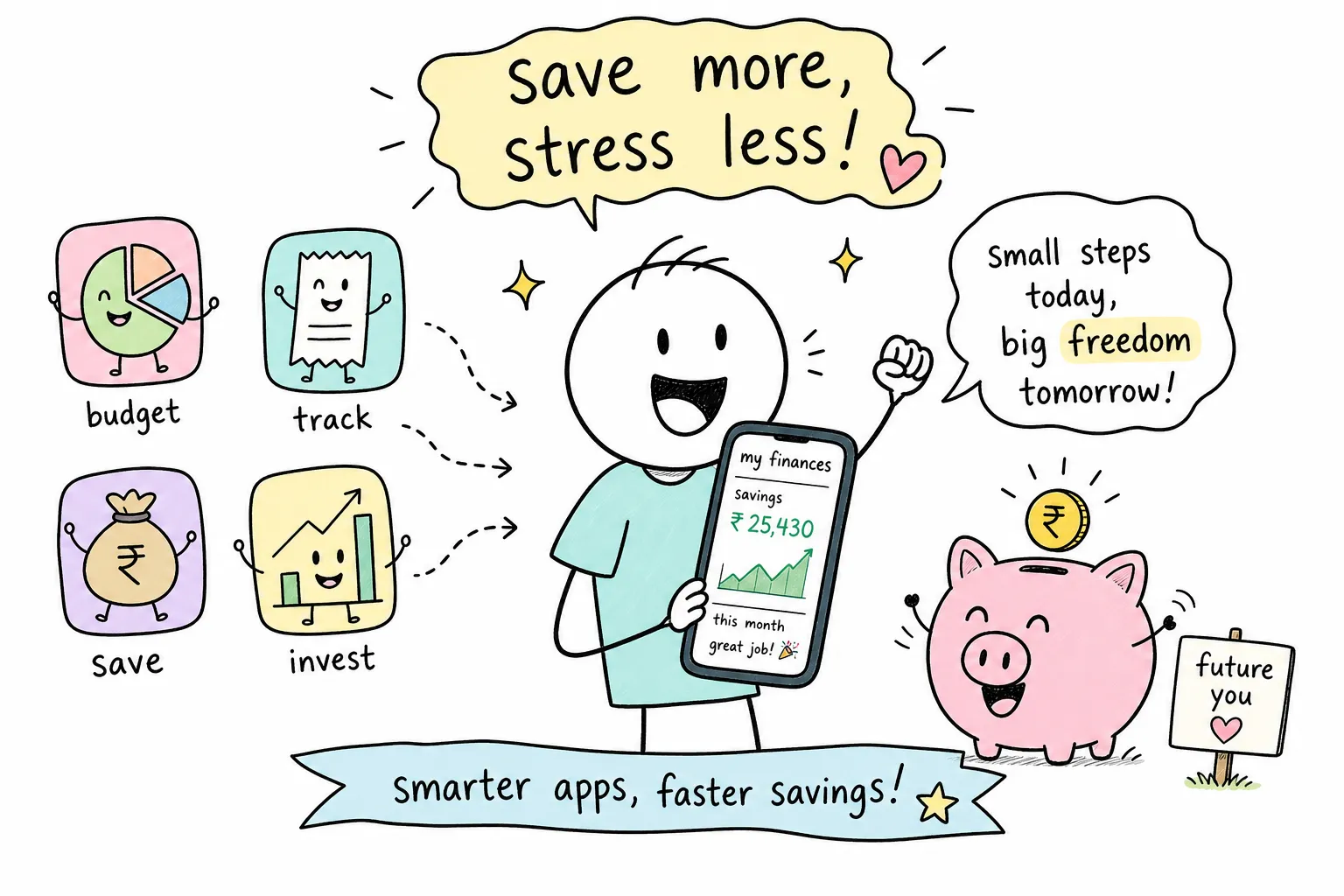
Millions of Americans download a savings app, feel motivated for a week, and then quietly stop opening it. The problem isn't motivation. It's the gap between having a tool and having a real system behind it. The best personal finance apps to help you save money faster don't just track what you spend, they remove the friction between intention and action through automation, round-ups, and goal-based nudges that keep working even when your enthusiasm fades.
This guide covers 10 top money management apps, explains which features genuinely accelerate saving, and helps you match the right tool to your actual situation. Whether you're building a $1,000 emergency fund, chipping away at credit card debt, or trying to save consistently on a freelancer's unpredictable income, there's a right tool for where you are. For readers who want the habits and financial mindset to make any app actually stick long-term, The Growth Engine covers exactly that territory.
The features that actually make you save faster
Not all personal finance tools are built the same way. The apps that consistently move the needle share a specific set of features, and understanding those features first gives you a clear filter for every recommendation on this list. Chasing the most popular app or the one with the best marketing is how people end up with a tool that doesn't fit their behavior.
Automation: the single biggest factor in savings velocity
Automation reliably reduces decision friction and is consistently associated with higher savings rates. A CFPB-cited study found that users with automatic savings transfers saved between 1.5 and 3.5 times more than those saving manually. When the transfer happens without a conscious decision, that decision can't be skipped. Chime's "Save When I Get Paid" feature is a concrete example: it automatically sweeps a percentage of each direct deposit into savings before you ever see the money in your checking account.
Round-up savings: small amounts that compound into real money
Round-up features work by rounding each debit card purchase up to the next dollar and transferring the difference to a savings or investment account automatically. Buy a coffee for $4.60, and $0.40 goes to savings without a second thought. Acorns built its entire model around this mechanic, and according to platform-reported averages, users save roughly $30 to $40 per month through round-ups alone. That's not life-changing on its own, but combined with scheduled transfers and spending cuts, it adds up to real progress over a year.
Goal-based saving with progress tracking
When money has a name, you're far less likely to spend it. Labeled savings goals with visible progress bars outperform a single generic savings account because the money feels allocated rather than available. Apps like Qapital, Current, and Monarch Money all use this mechanism well. Seeing a "vacation fund" hit 60% of its target creates a psychological anchor that makes raiding it feel much more costly.
Subscription and spending velocity tracking
Many people spend tens to low hundreds of dollars per month on forgotten subscriptions and recurring charges they no longer use, a pattern documented in consumer spending research by companies like Rocket Money. Apps that automatically surface these charges create instant "found money" that can be redirected to savings goals without any lifestyle sacrifice. This is the core value proposition of tools like Rocket Money: identify the leaks first, then redirect that flow toward something intentional.
Best personal finance apps to help you save money faster through automation
If your biggest barrier is remembering to save, these are the apps designed to take that decision completely off your plate. They work best for people who want savings to happen in the background while they live normally. The setup investment is low, and the ongoing maintenance is close to zero.
Acorns: the original round-up investing app
Acorns rounds up your purchases and automatically invests the spare change into a diversified portfolio of ETFs. One distinction worth noting: Acorns blends saving with investing, making it better suited for long-term wealth building than short-term emergency fund accumulation. Pricing runs $4 per month for the Bronze tier, $8 for Silver, and $12 for Gold, with no free plan available. Best for: beginners who want to start small, automate completely, and begin building an investment habit alongside their savings habit.
Chime: best for paycheck-linked automatic saving
Chime's "Save When I Get Paid" feature automatically transfers a percentage of each direct deposit into a separate savings account before you touch the balance. It also offers round-ups on debit card purchases. One important distinction: Chime is a banking product rather than a simple budgeting overlay, and it's designed to work well as your primary checking account because features like "Save When I Get Paid" operate on direct deposits. If you're willing to make that switch, it's one of the most frictionless savings setups available. Best for: people who want savings permanently tied to income, not memory.
Qapital: the most customizable rule-based savings app
Qapital stands out because of its behavioral rule engine. You can set up round-up rules, a "freelancer rule" that saves a percentage of every client payment, a "guilty pleasure rule" that saves $2 every time you buy coffee, and IFTTT-style triggers connected to external events. This makes it uniquely powerful for people who want their saving behavior to mirror their actual spending patterns rather than a fixed schedule. The goal-based structure keeps each savings bucket clearly labeled and separate. Best for: people who like customization and want their savings rules to reflect their real behavior.
Oportun (formerly Digit): hands-off saving based on cash flow
Oportun analyzes your spending patterns and income, then automatically transfers small amounts to savings when its algorithm detects that you can afford it. There are no rules to configure and no schedule to maintain. An algorithm does the calculus and moves money quietly in the background. For people who find budgeting mentally exhausting, this is the closest thing to completely passive saving available. Best for: people who want low-effort saving without any setup complexity.
Best apps for budgeting your way to a bigger balance
These apps require more active engagement, but they give you something the automation-only tools don't: complete visibility and intentional control over every dollar. If you're serious about cutting spending, paying off debt, or managing a variable income, these tools deliver significantly more horsepower than a simple round-up app.
YNAB: the gold standard for zero-based budgeting
YNAB's core philosophy is simple: give every dollar a job before the month starts. Every dollar of income gets assigned to a category, rent, groceries, an emergency fund, debt payoff, until there's nothing left unallocated. The learning curve is real, but it pays back quickly for users who stick with it. Pricing is $14.99 per month or $109 per year, with a 34-day free trial and no permanent free tier. College students can qualify for a full free year. Best for: people who want to change their relationship with money, not just observe it.
Monarch Money: best overall for couples and shared finances
Monarch lets each partner maintain their own login while sharing a unified household financial dashboard that includes both joint and separate accounts. It syncs with over 13,000 institutions through Plaid, MX, and Finicity, and it's SOC 2 Type 2 certified, making it one of the more rigorously verified options on security. The labeled savings goals and net worth tracking make it the strongest comprehensive financial dashboard available for households managing multiple account types. Best for: couples and anyone wanting a clean, full-picture financial view in one place.
Rocket Money: best for uncovering hidden savings fast
Rocket Money's signature feature is its bill negotiation service, where the app's team negotiates directly with service providers on your behalf to lower your monthly bills. Combined with its subscription cancellation tools, smart savings automation, and spending dashboards, it's one of the few apps that combines both active and passive savings strategies in a single product. For someone who suspects they have money leaking out of their budget but can't pinpoint where, Rocket Money finds it quickly. Best for: people who want to identify and eliminate financial waste as fast as possible.
PocketGuard and Empower: strong options for specific needs
PocketGuard's "In My Pocket" feature calculates exactly how much you have available to spend after bills, goals, and necessities, which makes it excellent for people who tend to overspend without realizing it until the end of the month. According to PocketGuard's product documentation, it syncs with over 18,000 institutions, one of the broadest integration networks on this list. Empower combines a solid budgeting dashboard with automatic savings baked in, and uses FIPS 140-2 encryption alongside biometric login for security. Both are strong secondary options for users focused on spending control and net worth tracking, respectively.
Which app fits your situation best
The best savings app isn't the most popular one. It's the one that matches how your money actually moves. Here's how to match your situation to the right tool without overthinking it or spending two weeks reading comparison articles.
Couples: shared visibility without shared conflict
Monarch is the top pick for couples because it handles the joint-and-separate-accounts problem better than anything else on this list. Each partner maintains a separate login, both account types appear in one shared dashboard, and savings goals are visible to both people. For couples who want a free option, Honeydue was designed specifically for shared household finances and emphasizes bill alerts and spending transparency. The practical setup: link all accounts, create two or three shared savings goals, and commit to a weekly 10-minute money check-in as a household habit.
Freelancers and variable-income earners
YNAB works better for freelancers than any other app on this list because its zero-based system is built around current cash on hand, not projected income. The key setup principle: budget only the money that's actually in your account, create a cash buffer category, and set up a dedicated tax savings category before allocating anything else. Qapital's freelancer rule, which automatically saves a percentage of client payments the moment they hit your account, is a strong complement to YNAB for people who want automation layered on top of their zero-based structure.
Students: keeping it simple and free
Students should evaluate whether a paid app's features offset its cost given limited budgets, many strong free options exist. EveryDollar offers a free zero-based budgeting structure that mirrors YNAB's philosophy without the price tag. Goodbudget uses a digital envelope system that creates hard caps on discretionary spending categories, which is especially useful for students navigating irregular expenses like textbooks and social spending. The key principle for students: use as few categories as possible, automate bill reminders, and keep a non-negotiable cap on discretionary spending each week.
Debt payoff focus
YNAB's zero-based approach is the strongest structure for debt payoff because it forces you to see exactly where every dollar is going before the month begins. EveryDollar is the right free alternative for users following a Ramsey-style approach. The setup logic is straightforward: assign every dollar to essentials, minimum debt payments, and extra principal first, then see what's left for everything else. Rocket Money's bill negotiation feature can free up extra dollars for debt payoff without requiring lifestyle sacrifices, making it a practical complement to whichever budgeting app you choose.
What these apps cost and when premium is worth it
Free apps aren't always free, and paid apps aren't always worth the cost. The real question is whether the tool helps you find or redirect more money than it costs you to use it.
The real cost of "free" money apps
Free apps typically monetize through a few common mechanisms: sharing anonymized user data with financial partners, gating key features behind premium upgrades, or surfacing in-app product recommendations tied to affiliate relationships. For users who want their financial data to stay private, a paid app with a transparent business model is often the cleaner choice. Albert and Rocket Money both operate on hybrid free/paid models, where the core functionality is accessible without payment but the most useful features, smart savings, bill negotiation, spending insights, sit behind a subscription.
When paying for a budgeting app is worth it
The decision rule is simple: if a paid app helps you find or redirect more money than its annual cost in the first month, it pays for itself. YNAB costs $109 per year, less than $10 per month. If it helps you identify one unused subscription or redirect one impulse spending category, it's already net positive. Monarch Money's annual plan falls in a comparable range for a consumer subscription. Most premium apps offer a free trial period, including YNAB's 34-day trial, so you can run a real test before committing any money to the subscription.
How these apps protect your financial data
Handing a third-party app access to your bank account feels uncomfortable for a lot of people. That instinct is reasonable. Here's what actually happens when you connect an account and how reputable apps handle your data.
What bank connections actually look like
Most budgeting apps don't store your banking credentials directly. Instead, they use aggregators like Plaid, MX, or Finicity to create a secure, read-only data connection between your bank and the app. Your password never lives inside the app. Plaid fetches only the data the app needs, balances, transaction history, account type, and passes it through an encrypted API connection. That's the full extent of the access. YNAB uses Plaid across 12,000 institutions, Monarch syncs with 13,000 through Plaid, MX, and Finicity, and Empower uses Envestnet Yodlee. Read-only access means the app can see your money but cannot move it, the critical security distinction most people don't know to look for.
The security checklist before connecting an app
Before connecting any financial app to your bank account, run through four quick checks: confirm the app uses read-only access rather than write access, verify 256-bit AES encryption or equivalent, look for optional two-factor authentication, and check for third-party security certification like SOC 2. Monarch Money is SOC 2 Type 2 certified, one of the highest independent security verifications available. Empower uses FIPS 140-2 encryption and biometric login. One important note: most budgeting apps are not banks themselves. Check each provider carefully, some fintechs offer FDIC insurance through partner banks (Chime, for example, holds deposits at partner banks that carry FDIC coverage), while others provide read-only data aggregation only and do not hold your funds at all. Keep your actual savings in a verified FDIC-insured account and use non-bank tools as the tracking and automation layer on top.
Your 3-step setup plan to start saving faster today
Most people download an app and immediately get lost in settings, category trees, and account connection screens. This three-step plan gets you saving within the first 24 hours without needing to configure everything perfectly from day one. Using the best personal finance apps to help you save money faster only works when the setup is simple enough to actually finish.
Step 1: define one clear savings goal before you open the app
Starting with a goal rather than a tool prevents setup paralysis. Before you touch the app, pick one specific savings target with a dollar amount and a deadline: a $1,000 emergency fund by March, a vacation fund by summer, or your first investment account contribution by year-end. That decision determines which app features you actually need and stops you from over-engineering a setup that becomes too complicated to maintain. One goal. One deadline. One tool.
Step 2: turn on automation before you do anything else
Once you're in the app, the first action should be activating automatic transfers, round-up rules, or paycheck-linked savings before you touch categories, connect secondary accounts, or explore the reporting features. Automation is the one feature that keeps working even when your motivation dips, and it will. In YNAB, fund your savings goal category first before allocating anything else. In Qapital, activate at least one savings rule immediately after creating your goal. In Chime, set your "Save When I Get Paid" percentage the same day you open the account. Everything else in the app is secondary to this one step.
Step 3: schedule a weekly 10-minute money review
Apps track your data, but you have to act on it. Block 10 minutes every Sunday or Monday to review the previous week's spending, check your savings goal progress, and adjust any categories that are consistently running over. This single weekly habit is what separates people who use financial tools to actually save more from people who simply have more organized data about their spending. Put it on your calendar like any other appointment and treat it with the same seriousness.
The habit layer: what no app can do for you
Every app on this list is a tool, not a system. A hammer doesn't build a house on its own. The readers who see the biggest savings gains from these apps share one thing in common: they pair the right tool with intentional financial habits and a clear understanding of what they're actually building toward.
Why the right app still fails without the right habits
Apps fail for behavioral reasons, not technical ones. Skipping the weekly review or turning off spending notifications can quietly derail even the most well-configured setup. Spending from the savings fund "just this once" because something came up is the behavioral override that compounds into stalled progress. Saving faster isn't a feature problem. It's a consistency problem. The app gives you the rails. The habit is what keeps the train moving.
How The Growth Engine fills the gap these apps leave open
Apps give you the system, but building the habits, mindset, and financial confidence behind the system is a separate skill set entirely. That's the work most finance apps don't help you with, and it's the work that actually determines your results. The Growth Engine covers exactly that layer: practical financial habit-building, budgeting frameworks that work with real human behavior, debt payoff strategies, and the personal development content that makes financial tools actually stick over time. If you've tried savings apps before and found yourself drifting back to old patterns, exploring the content at The Growth Engine is a natural next step. The tools and the habits need to be built together.
Putting it all together
The best personal finance apps to help you save money faster are only as effective as the habits built around them. From round-up automation in Acorns to zero-based budgeting in YNAB to Monarch's shared goal tracking for couples, there is a right tool for every financial situation on this list. The goal isn't to use all of them. Pick one that matches your situation, automate your saving from day one, and build the weekly review habit that keeps you honest.
Start with the 3-step setup plan from this guide, pick the single app that fits your current life, and commit to 60 days before judging the results. Small consistent actions, run through the right system, compound into real financial progress faster than most people expect. Pick your app, turn on automation, and show up for that weekly review. That combination is where real progress starts.
#PersonalFinance #SaveMoney #BudgetingApps #SmartMoney


Comments
Post a Comment