YNAB vs Mint vs Copilot: Which Budgeting App Wins?
YNAB vs Mint vs Copilot: Which Budgeting App Wins?
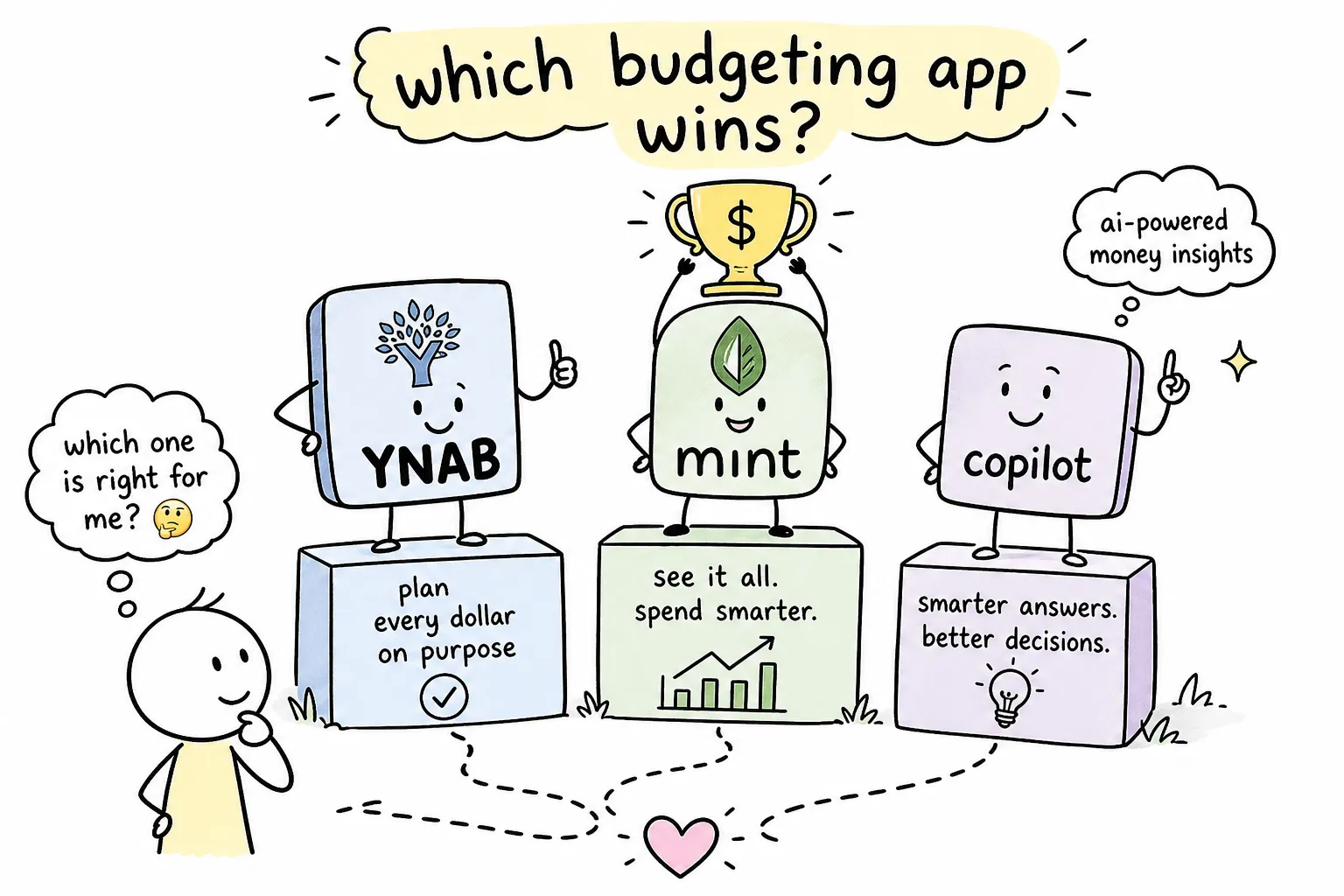
You searched for a budgeting app comparison, and now you have three tabs open, three pricing pages staring back at you, and exactly zero clarity on which one to actually download. Here's the problem with most articles that show up for this search: at least one of the apps they're comparing no longer exists as a standalone product. Mint shut down in early 2024, and if that's news to you, you're already ahead of most people clicking through outdated listicles. This comparison of YNAB vs Mint vs Copilot works from current facts, not stale screenshots, so you can decide which budgeting app is actually better for your situation right now.
At The Growth Engine, the goal isn't just to hand you an app recommendation and send you on your way. The budgeting method underneath the app matters just as much as the interface. Pick the wrong philosophy and no amount of polished design will keep you logging in past week three. So this breakdown covers three things: budgeting philosophy, pricing, and which financial personality each tool actually fits.
By the end of this article, you'll know exactly which app to open, or whether you need one of these paid tools at all.
What happened to Mint and why it matters for this comparison
Most people searching this topic don't realize they're researching a product that no longer exists as a consumer budgeting tool. Intuit shut Mint down in early 2024 and directed Mint users to migrate to Credit Karma. Many users who had built spending histories, linked accounts, and category structures inside Mint found the transition disruptive. Migration options were limited, and the category-based budgeting workflow they had relied on simply didn't carry over.
Why Intuit shut Mint down
Intuit's reasoning centered on consolidation. The company owns TurboTax, QuickBooks, and Credit Karma, and observers noted that maintaining a free budgeting app with limited monetization potential was unlikely to remain a priority alongside those higher-revenue products. Intuit framed the move as giving users a "better experience" through Credit Karma, but the reality is that the two products serve entirely different purposes.
Credit Karma vs. Mint: what actually changed
Credit Karma is a credit monitoring platform, not a budgeting tool. It shows your credit scores from Experian and TransUnion, flags credit-use opportunities, and surfaces loan offers. It does allow you to link accounts and view spending summaries, but it does not replicate Mint's monthly category budgeting system. If you came to Mint for envelope-style spending limits and transaction tracking by category, Credit Karma doesn't fill that gap.
What this means if you were a Mint user
Many former Mint users moved toward YNAB if they wanted more structure and control, or toward apps like Monarch Money and Quicken Simplifi if they wanted a closer feature match. The core question is whether you want to rebuild an active budgeting habit or whether you're primarily looking for transaction tracking with better automation than Mint offered.
YNAB vs Mint vs Copilot: which budgeting app is better for your money style?
Before you compare price tags or feature lists, you need to understand that YNAB and Copilot are built on fundamentally different beliefs about how budgeting should work. The app you choose should reflect how you actually want to interact with your money, not just which one has the slicker interface.
Zero-based budgeting: the intentional approach
Zero-based budgeting means every dollar of income gets assigned a specific job before it gets spent. In YNAB, that looks like creating categories, rent, groceries, car insurance, dining out, then funding those categories from your available income until the number left to assign hits zero. When new money comes in, you go back and assign it again. Nothing gets spent passively. Every transaction reflects a decision you already made. For people evaluating zero-based budgeting apps, YNAB is the most fully realized version of this methodology available today.
Automated tracking: the hands-off approach
Copilot works the opposite way. You link your bank accounts and credit cards, and the app pulls in your transactions automatically. Its AI categorizes each purchase, learns your patterns over time, and surfaces spending insights based on your historical behavior. You set budget targets, but the system largely manages the data flow for you. Reviews report first-pass categorization accuracy around 93%, improving to roughly 96% after a few weeks of corrections.
Why methodology matters more than features
Choosing the wrong philosophy makes any app feel like friction. If you're a hands-on person who wants to feel each spending decision before it happens, an automated tracker will feel passive and disconnected. If you're someone who already has solid financial habits and just wants better visibility, zero-based budgeting will feel like unnecessary homework. The right app matches how you think about money, not just how it looks on your phone. That's the filter worth applying before you compare any two personal finance trackers side by side.
YNAB deep dive: pricing, features, and who it's actually built for
YNAB has been the dominant zero-based budgeting app for over a decade, and it has earned that position. The platform is actively maintained, regularly updated, and backed by a community of devoted users who have genuinely changed their financial lives with it. It also requires real commitment to set up and use consistently. That's not a criticism; it's the honest trade-off.
What YNAB costs and what the free trial covers
YNAB costs $14.99 per month or $109 per year, which works out to roughly $9.08 per month on the annual plan. There's no permanent free tier. The 34-day free trial gives you full access to the platform so you can build out a real budget before committing financially. Eligible college students can apply for a full year free, a significant value if you're in school and trying to build money habits early.
Core features: what YNAB actually does well
YNAB syncs with bank accounts and credit cards through Plaid and MX, the two major financial data aggregators. It supports manual entry for accounts that don't sync, which matters for cash spending or accounts at smaller institutions. The platform includes goal tracking, shared budgets for couples or households, and reporting that shows your spending trends over time.
One practical detail worth knowing: linked accounts typically sync once or twice a day. New transactions can take 24 to 72 hours to appear after clearing your bank. If you need real-time data, you'll want to enter transactions manually. YNAB is available on web, iOS, and Android, so it works across all major devices.
Who YNAB is built for
The ideal YNAB user wants granular control over their money and is willing to invest time in the setup and weekly check-ins that make the system work. It delivers the most value for people paying off debt, building an emergency fund, or trying to break the cycle of overspending in specific categories. If you want to feel genuinely aware of where every dollar is going before it leaves your account, YNAB is built for exactly that.
Copilot deep dive: pricing, features, and who it's built for
Copilot Money is a newer player in the personal finance space, and it has built a strong following, particularly among iPhone users who want a low-friction budgeting experience with a polished design. Where YNAB asks you to plan actively, Copilot asks you to review intelligently. That distinction drives everything about how the app is designed.
Copilot's pricing and platform availability
Copilot costs $13 per month or $95 per year, which comes out to about $7.92 per month on the annual plan. A 30-day free trial is available, though you'll need to enter a credit card upfront since the trial rolls into a paid subscription if you don't cancel. One significant limitation to flag before you commit: Copilot is available on iPhone, iPad, Mac, Apple Vision Pro, and the web, but there is no Android app. If you're not in the Apple ecosystem, Copilot is not a practical option for mobile use.
What makes Copilot different from other trackers
Copilot's standout feature is its AI-powered transaction categorization. The system learns from your corrections and gets more accurate over time, which means the manual cleanup required decreases significantly after the first few weeks. Beyond categorization, it offers custom spending rules, financial account syncing, spending trend reports, and budget targets based on your actual historical patterns. User reviews consistently praise the interface as one of the cleanest in the personal finance app category, which matters if you want to actually enjoy opening the app.
Who Copilot is built for
The ideal Copilot user already has solid financial habits and wants smarter visibility into their spending, not active management of every dollar. If you're an iPhone user who values design and automation, and you'd rather let the AI handle categorization so you can focus on insights and trends, Copilot fits that need well. It's less suited for someone in a financial pinch who needs strict category limits and real-time spending awareness.
What fills the Mint gap: free alternatives worth knowing
Not everyone is ready to pay $95 to $109 per year for a budget planner app, and that's a completely reasonable position, especially if you're not sure whether you'll stick with the habit. Among the best budget apps of 2026, there are free and low-cost options worth knowing before you commit to a paid subscription.
Free tools that come closest to what Mint offered
Credit Karma is the official Mint successor, but as covered earlier, it's primarily a credit monitoring tool with limited budgeting functionality. For people who want full control without a subscription, a well-built spreadsheet, Google Sheets or Excel with a budgeting template, covers the core workflow: income tracking, category spending, and monthly summaries. Monarch Money is worth mentioning as a paid alternative that many former Mint users migrated to because it closely mirrors Mint's category-based approach with more modern infrastructure. Each of these options fills a different slice of what Mint free budgeting once provided, so the right fit depends on how much structure you actually need.
When a free tool is the right call
If you're brand new to budgeting and genuinely unsure whether you'll maintain the habit, starting with a free tool isn't a compromise. Paying $100 per year for an app you abandon in two months solves nothing. Build the budgeting habit first with a free tool or spreadsheet, then upgrade to a paid app once you've proven to yourself that you'll actually use it. The habit creates the value; the app just supports it.
Pricing comparison: which budgeting app is better on value?
Here's the side-by-side breakdown you came here for. These are the numbers and policies that affect your day-to-day experience with each app.
Annual cost comparison: what you actually pay
YNAB runs $109 per year (or $14.99 per month billed monthly) with a 34-day free trial. Copilot runs $95 per year (or $13 per month billed monthly) with a 30-day free trial. There is no active Mint subscription to compare since the product no longer exists as a consumer budgeting app. Free alternatives like spreadsheets cost nothing. Monarch Money and Quicken Simplifi occupy the paid alternative space for former Mint users, verify current pricing directly with each provider since it changes periodically.
Data privacy: what each app says about your financial information
YNAB is explicit about its privacy stance: it does not sell your financial data, encrypts your balances, transactions, and account holdings both in transit and at rest, and retains most account data for up to 24 months after your subscription or trial ends. Support conversations are retained up to three years. If data privacy is a top concern, YNAB's published commitments are among the clearest in the category.
Copilot uses 256-bit encryption at rest and TLS in transit. Its privacy policy states it does not share your financial information with third parties for joint marketing or to allow others to market to you. It also does not store your bank login credentials, using Plaid and Mastercard Data Connect as intermediaries instead. One nuance worth noting: Copilot's California privacy notice indicates that certain non-financial information, like device identifiers and hashed email addresses, may be shared with advertising platforms. Review both privacy policies in full before making a final decision.
Platform and device support
YNAB is available on web, iOS, and Android, making it the more broadly accessible option across device types. Copilot is available on iPhone, iPad, Mac, Apple Vision Pro, and web, but has no Android app. If your household mixes iPhone and Android users, YNAB is the only option of the two that works for both. For former Mint users, YNAB's cross-platform availability closely matches what they were used to.
Matching each app to your financial situation
There's no single winner in this YNAB vs Mint vs Copilot comparison. Which budgeting app is better depends entirely on who you are and what you need your budget to do. Here's how to make the call without overthinking it.
Choose YNAB if...
YNAB is the right fit if you're actively paying off debt and need to track every dollar with precision. It works best for people who have identified specific categories where they consistently overspend and want hard limits, who want to know where their money is going before it leaves their account, not after the fact, and who are motivated to engage with their budget at least once or twice per week. If you're willing to invest a few hours upfront in the setup, YNAB rewards that kind of intentionality with a level of financial control that passive trackers simply can't replicate.
Choose Copilot if...
Copilot is the right fit if you already have solid financial fundamentals in place and want smarter visibility into your patterns without the manual data entry. It's built for iPhone users who care about design and want an app that feels good to open, and for people who would rather spend five minutes reviewing AI-generated insights than twenty minutes assigning dollars to categories. If automation is a feature you'd actually use rather than a shortcut you'd feel guilty about, Copilot is designed for exactly that workflow.
Stick with a free tool (or spreadsheet) if...
A free tool makes the most sense if you're new to budgeting and unsure whether you'll maintain the habit. Starting without a subscription removes financial pressure from the equation, which actually makes it easier to focus on building the system. Use a free tool or spreadsheet consistently for 60 to 90 days, and you'll know exactly which paid app's philosophy matches how you operate, making the eventual upgrade a confident decision rather than a guess.
The app is only part of the equation
The best budgeting app is the one you'll actually open. YNAB and Copilot are both genuinely solid products. But neither one creates a budgeting habit for you. The app is a tool; the system is what makes it work.
Why most people quit budgeting apps within 90 days
The pattern shows up repeatedly in user reviews and app engagement data. Someone downloads a budgeting app, spends a weekend setting it up, stays motivated for about three weeks, then life gets busy and the app gets ignored. A few months later, the subscription is still running and the budget hasn't been touched. The failure isn't the app. It's the absence of a budgeting method and a routine to anchor it. Without both, even the best app becomes an expensive unused icon on your home screen.
Where to build the habits and methods that make any app stick
The Growth Engine covers the budgeting frameworks and financial habit systems that sit underneath the app choice: zero-based budgeting walkthroughs, the 50/30/20 rule broken down for real incomes, debt payoff strategies like the snowball and avalanche methods, and habit-building approaches that fit into busy schedules. If you've picked your app but haven't yet built the system that makes it stick, that's the next step. The tools covered here at The Growth Engine are designed to complement whichever app you just chose and give you a budgeting practice that actually lasts.
The bottom line: YNAB vs Copilot, which budgeting app is better?
YNAB is the pick for intentional, hands-on budgeters who want full control over every dollar. Copilot is the pick for automated, insight-driven budgeters who are already financially stable and want smarter visibility without the manual work. Mint is gone, and the free alternatives serve a specific early-stage use case for people who want to test the habit before committing to a paid tool.
The app choice matters, but it matters less than the commitment to actually use it. Pick the one that matches your money personality, set a weekly check-in on your calendar, and give it 60 days before you evaluate whether it's working. That's the actual system.
If you want to go deeper on the budgeting methods, debt payoff strategies, and financial habit frameworks that make these tools deliver real results, explore The Growth Engine's personal finance guides. The app gets you organized. The system gets you free.
#BudgetingApps #PersonalFinance #MoneyManagement #YNAB #CopilotMoney #FinancialFreedom


Comments
Post a Comment